Variable Substitution in Assets
Use dynamic variables in your headlines and descriptions to create individually tailored ads for every keyword combination.
How Variables Work
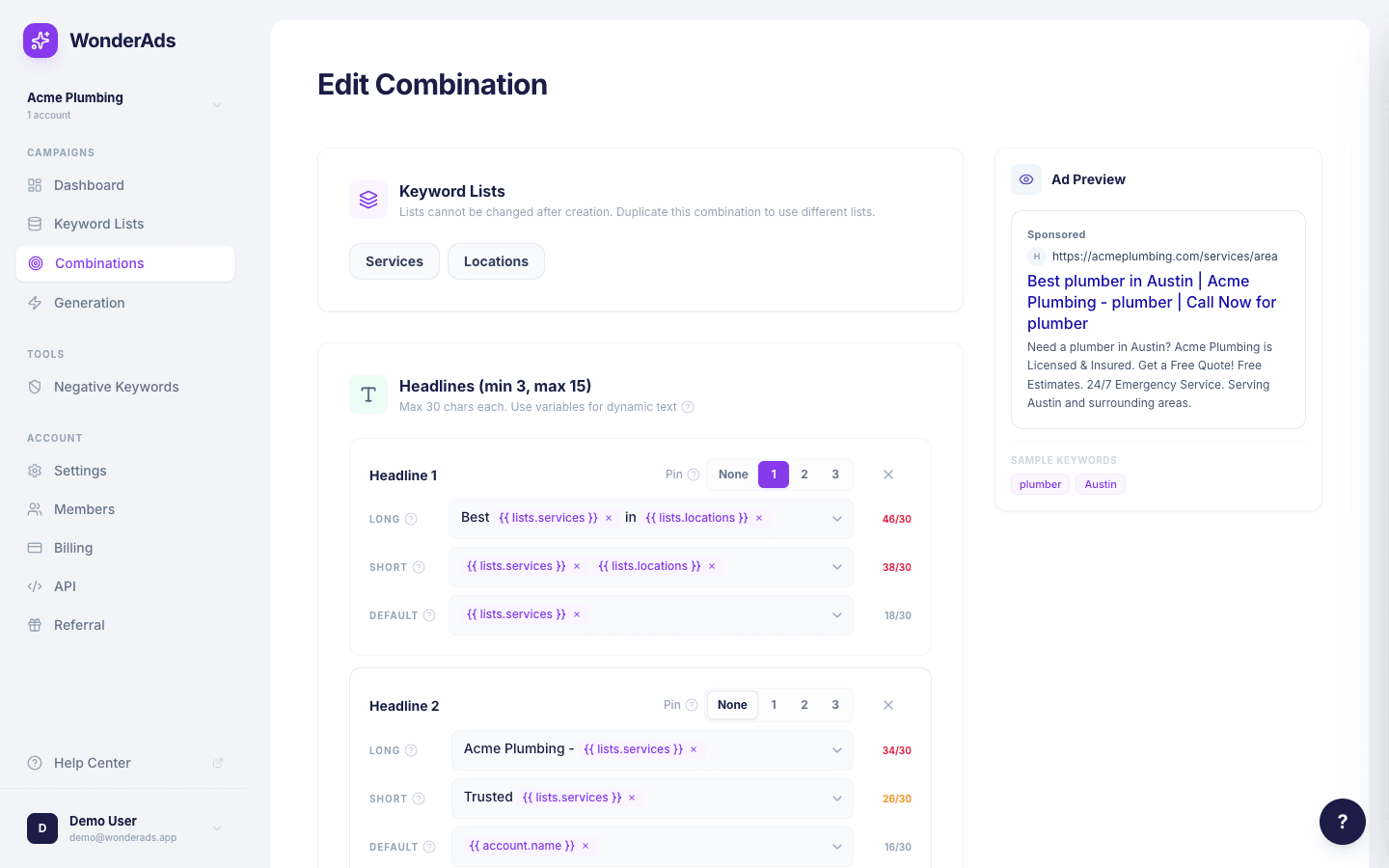
Variables are placeholders in your ad text that get replaced with real values during generation. They are written using double curly braces: {{variable.name}}. Each variable resolves to a different value per keyword combination, so every ad group gets unique, tailored ad copy. On the combination form, you can insert variables via the dropdown (chevron icon) to the right of each headline, description, and path field. The dropdown shows all available account and keyword-list variables and inserts them as chips.
Available Variables
WonderAds supports several types of variables:
- {{account.name}}: your account/business name.
- {{account.domain}}: your website domain.
- {{account.phone}}: your account phone number.
- {{lists.<slug>}}: the keyword value from a specific list. The slug is derived from the list name (for example, "Services" becomes {{lists.services}}).
- {{account.infos[N]}}: information snippets from your account settings (N is the index, starting at 0).
- {{account.ctas[N]}}: calls-to-action from your account settings.
Variable Resolution Example
Suppose you have a headline template: "Best {{lists.services}} in {{lists.locations}}". If your Services list has "Plumber" and your Locations list has "London", this resolves to "Best Plumber in London" for that specific ad group.
Test your variable-based headlines against the 30-character limit. Use the variant system (long, short, default) to provide fallbacks for longer combinations.
Character Limits and Variants
Headlines have a 30-character limit and descriptions have a 90-character limit. When a variable-resolved text exceeds the limit, WonderAds tries the short variant, then the default variant, and finally truncates if needed. Write your long variant as the ideal version, and provide shorter alternatives.