Billing and Subscription
Understand your current plan, manage your subscription, and monitor usage limits for accounts, keyword lists, and combinations.
Your Current Plan
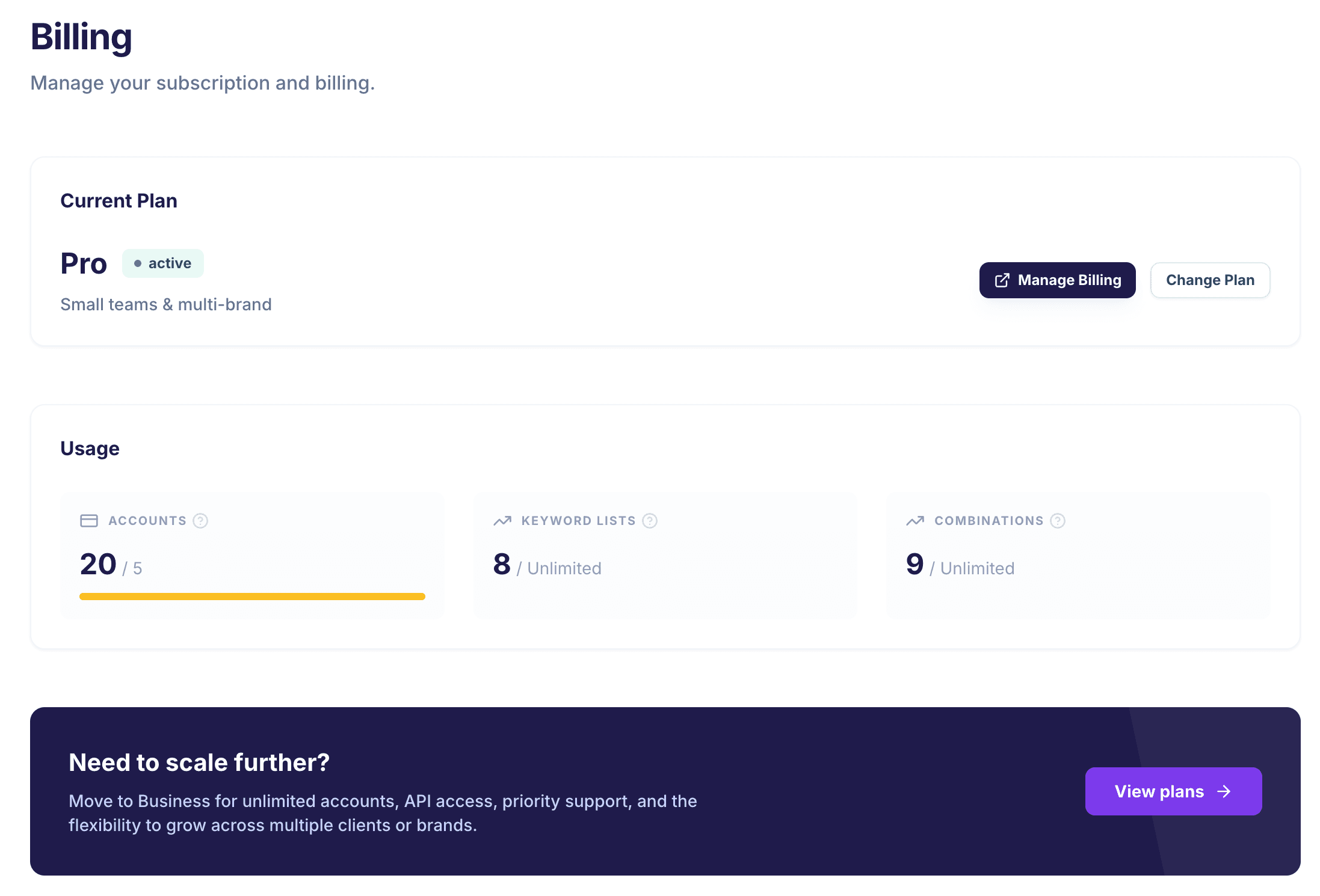
The Billing page shows your active subscription plan and its status. Plans control how many accounts, keyword lists, and combinations you can create. Navigate to "Billing" in the sidebar to view your plan.
Understanding Usage Limits
Each plan has limits on the number of accounts, keyword lists, and combinations you can create. The Usage section on the Billing page shows your current usage against each limit with a progress bar.
- Accounts — How many WonderAds accounts you can manage (e.g., different clients).
- Keyword Lists — Total keyword lists across all your accounts.
- Combinations — Total keyword combinations across all accounts.
Usage is counted across all your accounts combined, not per account. Keep this in mind if you manage multiple client accounts.
Trial Period
New accounts start with a free trial giving you full access to all features. The Billing page shows how many days remain in your trial. After the trial ends, you will need to subscribe to a paid plan to continue generating campaigns.
Upgrading Your Plan
If you reach a usage limit or need more capacity, you can upgrade your plan from the Billing page. Higher plans unlock more accounts, keyword lists, combinations, and advanced features like API access and team invitations.
Compare all plans at /pricing to find the right fit for your needs.