AI Keyword Planner
Let AI analyse your keywords and automatically create optimised keyword lists and combination proposals.
What is the AI Keyword Planner?
The AI Keyword Planner takes an unstructured list of keywords from your research and uses AI to decompose them into atomic, well-structured keyword lists. It identifies patterns, groups synonyms, separates leading terms from modifiers, and proposes combinations. That saves you hours of manual organisation.
How to open the AI Planner
The AI Planner is integrated directly into your campaign workflow. You can open it from two places: the "AI Planner" button in the header of the Keyword Lists page or the Combinations page, and the AI Planner banner card on the Dashboard. Clicking either opens the AI Planner modal where you can paste your keywords and start the analysis.

How to use it
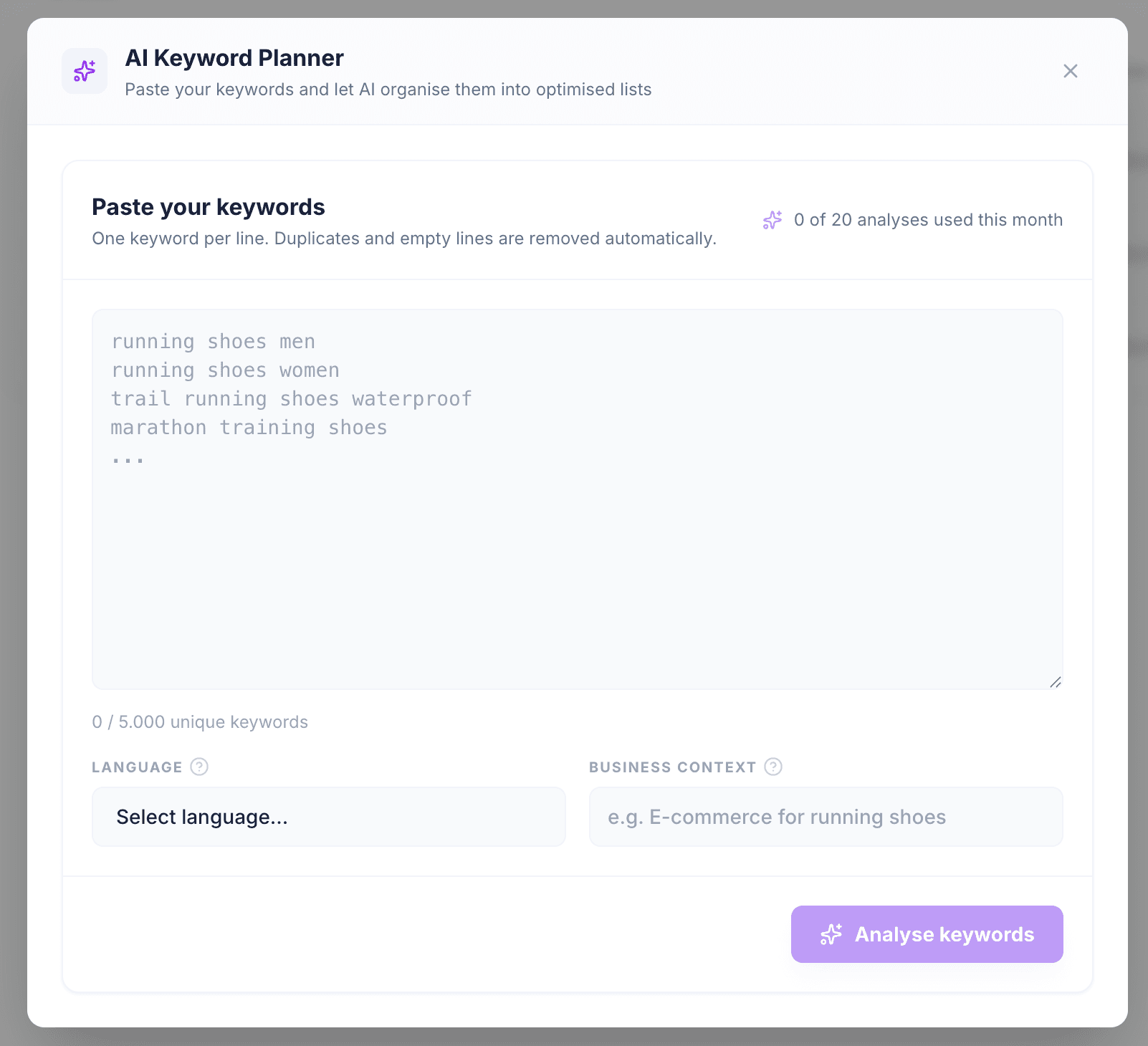
Click the "AI Planner" button to open the modal. Paste your keywords (one per line), optionally set the language and business context, then click "Analyse keywords".
- Paste up to 5,000 unique keywords into the text area (one per line).
- Optionally specify the language (e.g. "German") and a brief business context (e.g. "24-hour home care services").
- Click "Analyse keywords". The AI will process your keywords. This typically takes 15-30 seconds.
- Review the proposed keyword lists, suggested combinations, and discarded keywords.
- Select the lists you want to keep and click "Create keyword lists" to save them to your account.
Adding a business context and language helps the AI produce more accurate results, especially for specialised industries.
Reviewing results
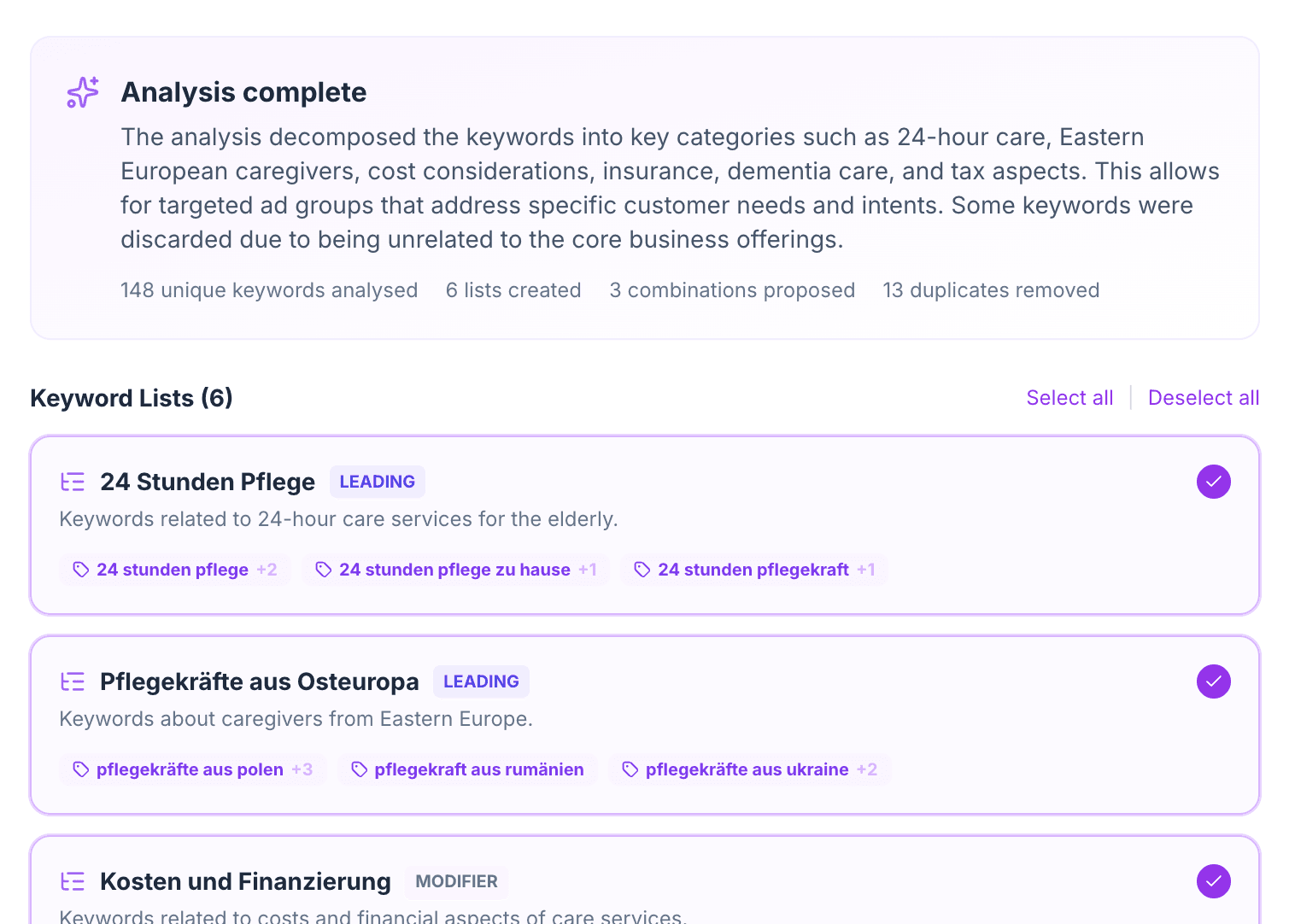
After the AI finishes analysing, you see three sections: proposed keyword lists (each as a card with keywords and synonyms), suggested combinations, and discarded keywords. Review the proposed lists, toggle any you don't want, and click "Create keyword lists" to save the selected ones directly to your account.
Atomic keyword lists
The AI breaks compound keywords into their smallest meaningful units. For example, "24 Stunden Pflege Kosten Pflegegrad 3" decomposes into three atomic concepts: the service ("24 Stunden Pflege"), the cost intent ("Kosten"), and the care level ("Pflegegrad 3"). This atomic approach lets WonderAds' cartesian product engine generate all meaningful permutations efficiently.
Monthly usage limits
Each plan includes a monthly quota of AI analyses. Starter plans include 1 analysis per month, Pro includes 5, and Business includes 20. If you exceed your quota, you can still run additional analyses at a per-run overage fee charged to your subscription.
Check your remaining analyses at the top of the keyword input area before starting.