Getting Started with WonderAds
Learn the core workflow: create keyword lists, combine them, write variable-based ad texts, and generate thousands of tailored campaigns in minutes.
Introduction video
Watch this short introduction to see how WonderAds works, from account setup and keyword lists through combinations, variable-based ad texts, and the CSV export to Google Ads Editor.
Why WonderAds?
To build a high-performing Google Ads Search account you need perfect structure, custom-made ads for every keyword, and match type control at the campaign level. Doing this manually for hundreds or thousands of keywords is impractical. WonderAds automates the entire process.
The Problem
A well-structured Google Ads account requires ad groups organized into campaigns that group keywords with similar conversion rate probability, so you can allocate budget and bid strategies effectively. Every ad group should have individually tailored Responsive Search Ads, not generic copy shared across hundreds of keywords. You also want the ability to split match types at the campaign level so you can allocate different budgets and bid strategies to Exact, Phrase, and Broad match.
WonderAds is built around the Single Keyword Ad Group (SKAG) methodology. Check out our dedicated SKAG article to learn more.
The 5-Step Workflow
Sign up for a free 30-day trial to explore the full workflow, including one free test generation of up to 5 ad groups. WonderAds follows a simple but powerful workflow that turns your keyword research into a fully structured Google Ads account.
- Create an Account. Set up your account with your brand name, domain, phone number, key information snippets, and calls-to-action. These become variables you can use in your ad texts.
- Build Keyword Lists. Organize your keywords into themed lists (for example, "Services", "Locations", "Modifiers"). Each keyword can have synonyms and a custom landing path.
- Create Keyword Combinations. Combine your keyword lists together. WonderAds automatically permutates all keywords across lists, creating hundreds or thousands of unique keyword combinations. The first list is the "leading" list that drives ad group structure and landing pages.
- Write Ad Texts with Variables. Write headlines and descriptions using variables like {{lists.services}} or {{account.name}}. WonderAds resolves these per keyword combination, creating individually tailored RSA ads for every single ad group.
- Generate and Export. WonderAds generates the full campaign structure (campaigns, ad groups, keywords, ads) including initial CPC calculations and budget estimates. Export as a single CSV and import directly into Google Ads Editor.
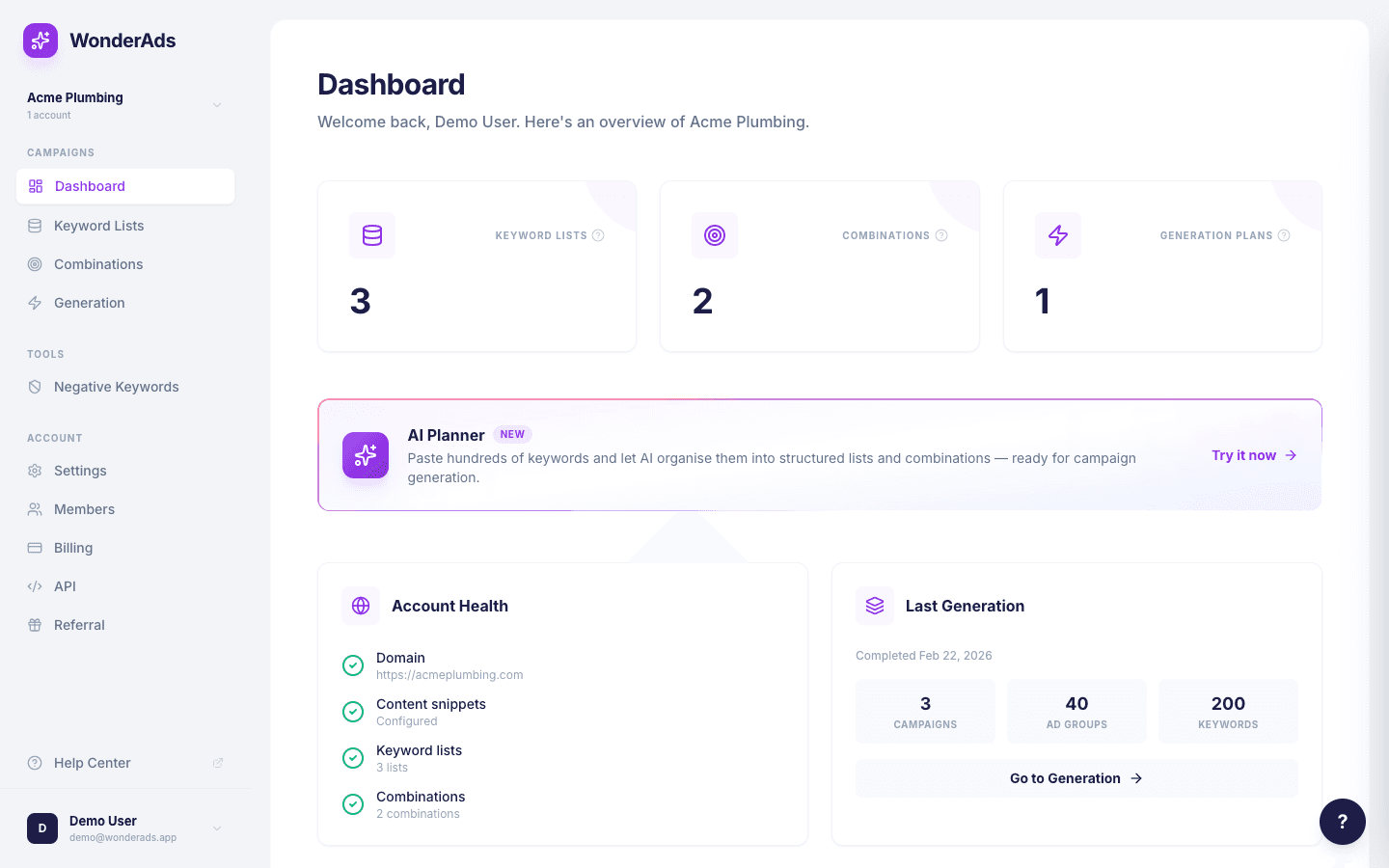
Inline Field Help
Every form field in WonderAds has a small question mark icon (?) next to its label. Hover over it to see a tooltip explaining what the field does, what values to enter, and why it matters. This works on every page: settings, keyword lists, combinations, generation, and beyond.
Look for the ? icon whenever you are unsure what a field expects. The tooltips explain the field in plain language and include examples where helpful.
The Contextual Help Drawer
Click the black ? button in the bottom-right corner of any dashboard page to open the help drawer. It automatically shows the relevant help article for the page you are currently on. For example, opening it on the Combinations page shows the Combinations guide. From the drawer you can also browse all Help Center topics or open any article in a dedicated tab.
You can also access the full Help Center at any time via the "Help Center" link pinned at the bottom of the left sidebar (it opens in a new tab).
The Key Insight
Define your keyword lists once, write your ad templates once with variables, and WonderAds multiplies everything out. The result is a perfectly structured account with thousands of individually tailored ads, proper match type splitting, and calculated bids. What would take days of manual work happens in minutes.