How to Build the Perfect Google Ads Campaign Structure in 2026
A step-by-step guide to building a high-performance Google Ads Search campaign structure that outperforms Performance Max, with pattern-based keywords, individual ads, calculated bids, and full advertiser control.
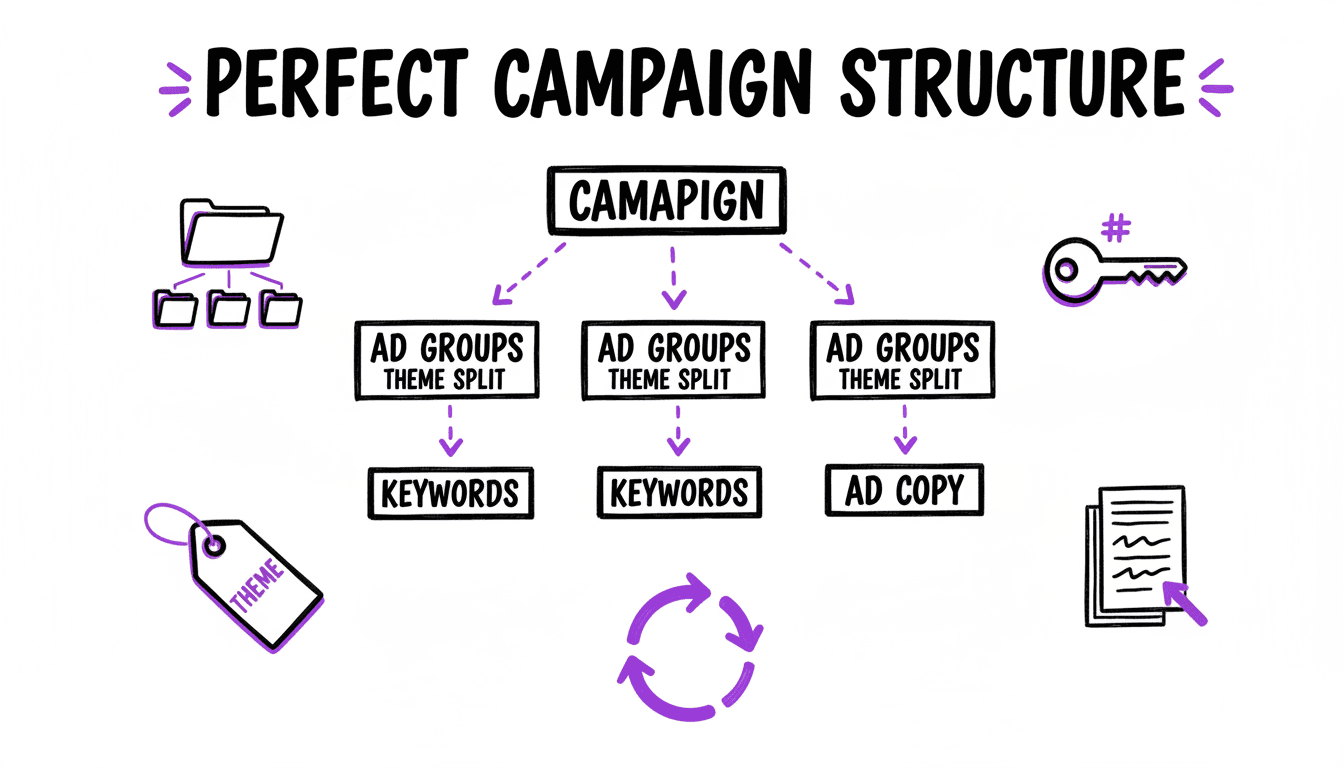
Why Most Google Ads Accounts Underperform
Most Google Ads accounts share the same problems: too few ad groups, too many keywords crammed together, generic ads that speak to nobody in particular, and automated bidding strategies running on insufficient data.
The reason is not that advertisers are lazy. It is that Google actively pushes them toward setups that are convenient for Google, not for the advertiser. Broad match, Performance Max, auto-applied recommendations, optimization score: all of these features have one thing in common. They increase ad spend while reducing advertiser control.
Google is a publicly traded company whose revenue depends on how much advertisers spend. Their tools, recommendations, and AI features are optimized for that goal. This is not a conspiracy theory. It is a business model.
The methodology described in this guide takes the opposite approach. It prioritizes granular control, structural precision, and individual ad relevance, the exact qualities that Google's own Quality Score algorithm rewards with lower CPCs and better ad positions.
The result: lower traffic volume, but significantly more conversions at a lower cost per acquisition. In our experience, this approach has outperformed Performance Max campaigns, particularly for advertisers who prioritise cost-per-acquisition over raw traffic volume.
Step 1: Keyword Research Through Pattern Recognition
Most keyword research tutorials tell you to dump keywords into a tool and pick the ones with the highest volume. That approach leads to bloated keyword lists with no structural logic.
The WonderAds methodology starts differently: with pattern recognition.
Start With Your Core Keyword
Begin with the most obvious keyword for the business. For a plumber in Austin, that is probably "plumber austin". Enter it into a keyword research tool (Google Keyword Planner, keywordtool.io, or similar) and review the results.
Filter for Transactional Intent
Not every keyword is worth targeting. Filter out informational queries ("what does a plumber do"), educational queries ("plumbing certification"), and comparison queries ("plumber vs handyman"). Focus on keywords where the searcher has a clear intent to buy, book, or contact.
Identify Structural Patterns
Look at the transactional keywords and identify repeating patterns:
- "emergency plumber austin" → Modifier + Service + Location
- "plumber near me" → Service + Proximity
- "plumber georgetown" → Service + Location
- "affordable plumber south austin" → Modifier + Service + Sub-Location
Each pattern element becomes a keyword list:
- Services: plumber, plumbing service, plumbing company, plumbing contractor
- Modifiers: emergency, affordable, licensed, certified, 24/7
- Locations: austin, south austin, north austin, georgetown, round rock, pflugerville
- Proximity: near me, nearby, in my area
Expand Each List
Once you have your lists, expand them with logical variations:
- Locations: add all districts, neighborhoods, and nearby cities.
- Services: add synonyms and service variations (plumber, plumbing repair, pipe repair, drain cleaning).
- Modifiers: add urgency, trust, and value modifiers (same-day, insured, free quote, top-rated).
The goal is to create atomic keyword lists. Each list contains one dimension of the keyword, broken down to its smallest meaningful units. This is the foundation everything else is built on.
Step 2: Keyword Combinations via Cartesian Product
With your atomic lists defined, the next step is combining them into actual keywords. This is where the cartesian product comes in.
Take three lists:
- Services (5 keywords): plumber, plumbing repair, drain cleaning, pipe repair, water heater service
- Modifiers (4 keywords): emergency, affordable, licensed, 24/7
- Locations (8 keywords): austin, south austin, north austin, georgetown, round rock, pflugerville, cedar park, lakeway
The cartesian product generates every possible combination: 5 × 4 × 8 = 160 unique keyword combinations.
Each combination becomes its own ad group:
| Service | Modifier | Location | Ad Group |
|---|---|---|---|
| plumber | emergency | austin | Emergency Plumber Austin |
| plumber | emergency | georgetown | Emergency Plumber Georgetown |
| plumber | affordable | austin | Affordable Plumber Austin |
| drain cleaning | 24/7 | south austin | 24/7 Drain Cleaning South Austin |
| ... | ... | ... | ... |
This is the SKAG (Single Keyword Ad Group) approach: every ad group has exactly one keyword theme, which means every ad can be written specifically for that search.
For more on how this structure affects Quality Score and performance, see the account structure guide.
Why This Matters
A single ad group with 160 keywords forces you to write a generic ad that speaks to none of them. 160 ad groups with one keyword each let you write 160 ads that each mirror the exact search the user typed. That difference is what drives higher CTR, higher Quality Score, and lower CPC.
The problem is obvious: nobody builds 160 ad groups by hand. That is exactly what WonderAds automates. Define your keyword lists, set up your combinations, and the tool generates the full structure in minutes.
Build Hundreds of Ad Groups in Minutes
Define your keyword lists and combinations in WonderAds. The tool generates the full campaign structure (ad groups, keywords, tailored ads, and calculated bids) using cartesian product. Export a single CSV and import it into Google Ads Editor.
Step 3: Ad Creation with Variables and Pinned Positions
This is where most advertisers go wrong, and where Google's advice is actively counterproductive.
Google recommends filling all 15 headline slots and letting the algorithm "test combinations." In practice, this means Google assembles random headline combinations that often make no sense together. You lose control over your messaging, your value proposition, and your call to action.
The WonderAds approach is deliberate. Every headline has a purpose, and pin positions ensure the right message appears in the right place.
The Ad Structure
Headline 1 (pinned to position 1): The Keyword
The first thing the user sees should mirror their search query. If someone searches "emergency plumber austin", headline 1 should say "Emergency Plumber Austin". This is the single most impactful factor for CTR and Quality Score.
With WonderAds variables, you write this once: {{lists.modifiers}} {{lists.services}} {{lists.locations}}, and the tool resolves it for every combination automatically.
Headline 2 (pinned to position 2): USP with a Number
Numbers stand out in search results. Use your strongest differentiator:
- "30 Years of Experience"
- "100% Free Quote"
- "4.9★ Google Rating"
- "Same-Day Service"
Headline 3 (pinned to position 3): Call to Action
End with a clear instruction:
- "Call Now, 24/7"
- "Book Online Today"
- "Get Your Free Estimate"
Descriptions
Apply the same logic to descriptions:
- Description 1: expand on the service and value proposition, include the keyword.
- Description 2: add trust signals, guarantees, or urgency.
Display Paths
Place the keyword in Path 1 and/or Path 2. A user searching "emergency plumber austin" should see:
example.com/emergency-plumber/austin
This reinforces relevance and improves CTR.
Why Pinning Matters
Google's RSA system is designed to maximize impressions, not ad coherence. Without pin positions, Google might show "Call Now 24/7" in position 1 and bury your keyword headline in position 3, or not show it at all. By pinning, you ensure the ad always makes strategic sense.
You know your business from the inside. Google knows it from the outside. The advertiser should control the narrative, not the algorithm.
For headline formulas and more RSA strategies, see the ad copy guide.
Step 4: Match Types, Exact and Phrase Only
The optimal setup uses only two match types: Exact Match and Phrase Match.
Why No Broad Match
Broad match lets Google decide which searches are "related" to your keyword. In practice, this means your ad for "emergency plumber austin" might show for "handyman austin", "plumbing apprenticeship near me", or "austin home renovation". Searches that have nothing to do with your service. Each irrelevant click costs money.
Google pushes Broad match aggressively because it generates the most impressions and the most ad spend. For a disciplined campaign structure, it is unnecessary. Exact and Phrase match together cover the searches that matter, the ones where the user is actually looking for what you sell.
Campaign-Level Splitting
Separate Exact and Phrase match into their own campaigns:
en_US | Search | [Services+Modifiers+Locations] (Exact): all Exact match keywordsen_US | Search | [Services+Modifiers+Locations] (Phrase): all Phrase match keywords
This gives you independent budget control. Exact match traffic converts at the highest rate. Phrase match captures relevant long-tail variations.
Match Type Protection
Inside the Phrase match campaigns, add Negative Exact keywords for every Exact match keyword. This prevents Phrase match from stealing traffic that should go to the Exact match campaign.
Example: If your Exact campaign targets [emergency plumber austin], add [emergency plumber austin] as a negative in the Phrase campaign. This way, someone searching for exactly "emergency plumber austin" is always served by the Exact campaign with its higher bid and more precise ad.
For a deep dive into match types and their strategic implications, see the match types guide.
Step 5: Manual CPC from Your Target CPA
Never start a new campaign with automated bidding. Google has no conversion data for your account yet. What Google calls a "learning phase" is mostly guessing, spending your money while slowly approximating the right CPC from above and below.
The better approach: calculate your Max CPC upfront using data you already have.
The Formula
Max CPC = Target CPA × (Conversion Rate / 100)
- Target CPA: what you can afford to pay per conversion. If you do not know this number, stop and figure it out before running ads.
- Conversion Rate: the percentage of clicks that turn into conversions. If you have no data, estimate conservatively.
Setting Your Conversion Rate Estimate
- Conservative (2%): safe starting point. If you have no historical data, use this.
- Moderate (3-4%): use if you have strong landing pages and a proven offer.
- Aggressive (5%): only if you have SEO data or historical PPC data showing this rate is realistic.
SEO conversion rates are typically lower than paid search, so if your organic conversion rate is 3%, your paid search rate will likely be higher. 4-5% is reasonable.
Example
- Target CPA: $80
- Estimated conversion rate: 3%
- Max CPC = $80 × (3 / 100) = $2.40
Set this CPC at the ad group level. Different keyword themes may justify different CPCs. A high-intent keyword like "emergency plumber" deserves a higher bid than "plumbing tips."
For the full breakdown of bidding strategies and when automated bidding becomes viable, see the bidding strategies guide.
Step 6: Budget Control with Shared Budgets
Instead of setting individual budgets on each campaign, use two shared budgets:
- Shared Budget 1: Exact Match. Covers all Exact match campaigns.
- Shared Budget 2: Phrase Match. Covers all Phrase match campaigns.
Why This Works
With shared budgets you control the balance between quality and volume without pausing individual campaigns:
- Want higher lead quality? Increase the Exact match budget, decrease Phrase match.
- Want more volume? Increase the Phrase match budget.
- Need to cut spend? Reduce one or both shared budgets. No campaign-level changes needed.
This approach scales cleanly. If you have 10 Exact match campaigns and 10 Phrase match campaigns, you manage 2 budget levers instead of 20.
Step 7: Negative Keyword Lists from Day One
Do not wait until after wasting money on irrelevant clicks. Apply pre-built negative keyword lists before your campaigns go live.
Over time, experienced advertisers build collections of negative keywords that consistently produce low-quality traffic. Applying these lists to every new account prevents repeating the same expensive mistakes.
Recommended Negative Keyword Lists
Store these as shared lists in Google Ads using Broad Match negatives, so they catch all variations:
Informational searches: meaning, definition, process, explanation, wiki, wikipedia, guide, tutorial, manual, faq, pdf, tips, tricks, examples, comparison, difference, review, reviews, ratings, test, who, how, what, why, when
Educational searches: course, courses, study, training, workshop, seminar, webinar, certification, degree, bachelor, master
DIY searches: DIY, instructions, crafting, template, recipe
Free resources: free, trial, demo, brochure
Job-related searches: career, job, jobs, salary, application, internship, freelancer
Technical searches: api, sdk, github, programming, debugging, script
Comparison searches: vs, versus, comparison, ranking
These lists are not exhaustive. They are starting points. Every industry has its own irrelevant terms. Add to your lists continuously based on Search Terms Report data.
For the full negative keyword strategy, including the Negative Keywords Tool for analyzing existing accounts, see the negative keywords guide.
Step 8: Post-Launch Search Term Monitoring
After launching, check the Search Terms Report daily for the first one to two weeks. The goal is to catch irrelevant queries before they waste significant budget.
The Pattern Approach to Negatives
When you spot an irrelevant search term, do not just negative the entire query. Instead, identify the word that makes it irrelevant and negative that.
Example: The search term "cheap plumber austin" triggered your ad. Instead of adding the full query as a negative, add just the word "cheap" as a negative keyword.
This prevents not only "cheap plumber austin" but also:
- "cheap plumber dallas"
- "cheap plumbing service"
- "cheap pipe repair near me"
One negative keyword blocks an entire pattern of irrelevant traffic.
Monitoring Cadence
- Week 1-2: daily review. This is when you catch the biggest leaks.
- Week 3-4: every few days. The search terms should be getting cleaner.
- After month 1: weekly to monthly. By now your negative lists should cover the major patterns.
Continue until the daily Search Terms Report shows mostly relevant queries. At that point, a monthly review is sufficient.
For more on how clean search terms improve Quality Score and lower costs, see the Quality Score guide.
Step 9: When to Switch to Automated Bidding
Manual CPC is not the permanent strategy. It is the starting strategy. The purpose is to collect clean, structured conversion data before handing bid control to Google.
The Rule of Thumb
When a campaign generates 5 or more conversions within 30 days, consider switching to automated bidding (Target CPA).
At this point Google has enough data to make reasonable bid decisions. The key difference: because you started with a structured account, clean keywords, and calculated bids, the data Google has is high-quality. The algorithm builds on a solid foundation instead of guessing from scratch.
Why This Order Matters
Most advertisers do it backwards: they launch with automated bidding and let Google figure everything out. Google calls this a "learning phase." In practice, it is an expensive guessing phase where Google spends your money while slowly discovering what works.
By starting with Manual CPC based on your CPA calculation, you:
- Control costs from day one. No surprise CPCs during a "learning phase".
- Collect clean conversion data. Google knows which keywords, ads, and audiences convert.
- Create a strong Quality Score foundation. Relevant ads drive higher CTR, which improves Quality Score, which reduces CPC.
- Give automated bidding a head start. When you switch, the algorithm has structured data to optimize from, not noise.
This is the difference between handing Google a blank check and handing Google a detailed playbook.
Why This Outperforms Performance Max
Performance Max (PMax) is Google's latest campaign type. It runs ads across Search, Display, YouTube, Gmail, Maps, and Discover, all managed by Google's AI. It sounds powerful. In practice, it has fundamental problems that the structured Search approach solves.
The PMax Problem: No Transparency
With Performance Max, you cannot see:
- Which search terms triggered your ads. Google shows "search categories," not actual queries. You cannot identify or block irrelevant traffic.
- Which placements your ads appeared on. Your display ads might run on low-quality websites or irrelevant YouTube videos. You have no control.
- Which audiences are converting. Google mixes remarketing audiences (people who already know your brand) with prospecting audiences (cold traffic). The reported ROAS often includes conversions that would have happened anyway.
The Brand Traffic Problem
PMax is notorious for claiming credit for brand conversions. If someone searches your company name, PMax serves the ad and counts it as a PMax conversion, even though that person was already looking for you. Strip out brand traffic, and many PMax campaigns show dramatically worse performance.
With a structured Search campaign, you know exactly which keywords drive conversions. You can separate brand campaigns from non-brand campaigns and measure true acquisition performance.
The Control Problem
PMax decides:
- Which keywords to target
- Where to show your ads
- How much to bid
- Which audiences to reach
- Which creative combinations to use
The advertiser provides assets and a budget. Google does the rest. For a company whose revenue depends on ad spend, this level of control in Google's hands is a structural conflict of interest.
The Structured Search Advantage
The methodology in this guide gives the advertiser full control over every decision:
| Performance Max | Structured Search | |
|---|---|---|
| Keyword targeting | Google decides | You decide. Atomic lists with cartesian product. |
| Search term visibility | Hidden | Full Search Terms Report |
| Ad messaging | AI-assembled | Pinned positions, deliberate structure |
| Match types | None (Google decides) | Exact + Phrase with protection |
| Bidding | Automated from day one | Manual CPC, then automated with data |
| Budget control | One budget, all channels | Shared budgets by match type |
| Negative keywords | Not supported | Pre-built lists + ongoing monitoring |
| Performance data | Aggregated, opaque | Granular, per-keyword, transparent |
The result: lower total traffic, but significantly more conversions at a lower cost. Every click is intentional, every ad is relevant, and every dollar is accounted for.
When PMax Makes Sense
PMax can work for e-commerce with large product catalogs where Shopping ads are the primary driver. But for lead generation, services, and B2B, industries where keyword intent is everything, a structured Search campaign consistently outperforms PMax.
Related Articles
Build This Entire Structure in Minutes
WonderAds automates the methodology described in this guide. Define your atomic keyword lists, set your combinations, write variable-based ad templates with pin positions, choose your match types and split strategy, and generate the full campaign structure. Export a single CSV for Google Ads Editor: campaigns, ad groups, keywords, negative keywords, tailored ads, and calculated bids.
Get Started with WonderAdsRelated Articles
Google Ads Account Structure: How to Build Your Account the Right Way
Learn the optimal Google Ads account structure with campaigns, ad groups, and keywords. Discover how proper organization lowers your CPC and improves Quality Score.
Read articleHow to Scale Google Ads Campaigns Without Losing Performance
Learn how to scale Google Ads Search campaigns by adding keywords, expanding to new markets, and automating campaign structure, without sacrificing Quality Score or ROI.
Read articleSingle Keyword Ad Groups (SKAGs): How to Maximize Your Google Ads Performance
Master the SKAG strategy to boost Quality Score, lower CPC, and get more relevant clicks. Step-by-step guide to Single Keyword Ad Groups.
Read article